
Krypton5.0 - App Store
You'll be able to see results in few seconds.
Publisher Description
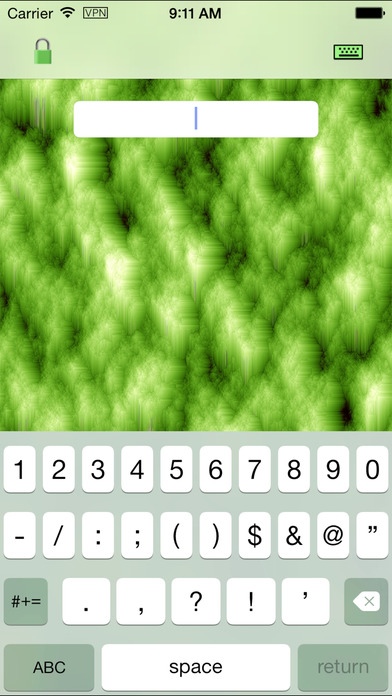
Protecting your personal and confidential information since 2009, Krypton is the first, simplest and most reliable App on the iOS Store to strongly encrypt entire documents and folders. Now also available on the Mac App Store. Your stuff is secure from prying eyes no matter where you are in the world.
Because the unit of encryption is an entire document or folder, Krypton is not a password manager in the traditional sense, although you can maintain a document of all your passwords that you encrypt between uses. Krypton can encrypt any type of document, including but not limited to:
Pictures from your photo album.
Movies from your camera roll.
Email messages from your mailbox.
Songs, PDFs, movies, Zip files, word processing documents, text files, images, program source code or any other object that you can download over the network or from your personal web server.
Anything on the iOS pasteboard.
Any document other Apps are willing to Share, such as Pages, Numbers and Keynote.
Dropbox files for easy cloud synchronization.
Krypton uses strong encryption (256-bit AES, CBC, PKCS7, PBKDF2, SHA-512) on each item; this has several ramifications:
If your passcode is strong enough to withstand a brute force attack, no one is going to see your stuff.
If you forget your passcode, no one can recover your stuff for you! But only that one document is lost, not your entire collection of items.
Your stuff is secure even if your iDevice or Mac is stolen, or Dropbox account is compromised.
Visit http://www.bigcatos.com/BigCatOs/Krypton.html to learn more.
And if you find a problem with Krypton, please email a report to support@BigCatOs.com, which guarantees that the bug gets fixed, fast. It's time better spent than writing a 1-star review that may not get read until months later ... pent up anger is bad for your health. Thus far, not a single person who wrote a bad review has ever reported their problem.
Requires iOS 6.0 or later. Compatible with iPhone, iPad, and iPod touch.
About Krypton
The company that develops Krypton is Technology Man IR. The latest version released by its developer is 5.0.
To install Krypton on your iOS device, just click the green Continue To App button above to start the installation process. The app is listed on our website since 2010-04-20 and was downloaded 0 times. We have already checked if the download link is safe, however for your own protection we recommend that you scan the downloaded app with your antivirus. Your antivirus may detect the Krypton as malware if the download link is broken.
How to install Krypton on your iOS device:
- Click on the Continue To App button on our website. This will redirect you to the App Store.
- Once the Krypton is shown in the iTunes listing of your iOS device, you can start its download and installation. Tap on the GET button to the right of the app to start downloading it.
- If you are not logged-in the iOS appstore app, you'll be prompted for your your Apple ID and/or password.
- After Krypton is downloaded, you'll see an INSTALL button to the right. Tap on it to start the actual installation of the iOS app.
- Once installation is finished you can tap on the OPEN button to start it. Its icon will also be added to your device home screen.
Program Details
System requirements
Download information
Pricing
Version History
version 5.0
posted on 2010-04-20
Disclaimer
Official App Store Link
We do not host Krypton on our servers. We did not scan it for viruses, adware, spyware or other type of malware. This app is hosted by Apple and passed their terms and conditions to be listed there. We recommend caution when installing it.
The App Store link for Krypton is provided to you by apps112.com without any warranties, representations or guarantees of any kind, so access it at your own risk.
If you have questions regarding this particular app contact the publisher directly. For questions about the functionalities of apps112.com contact us.
